Business Systems & Operations Technology

Nick Summerlin

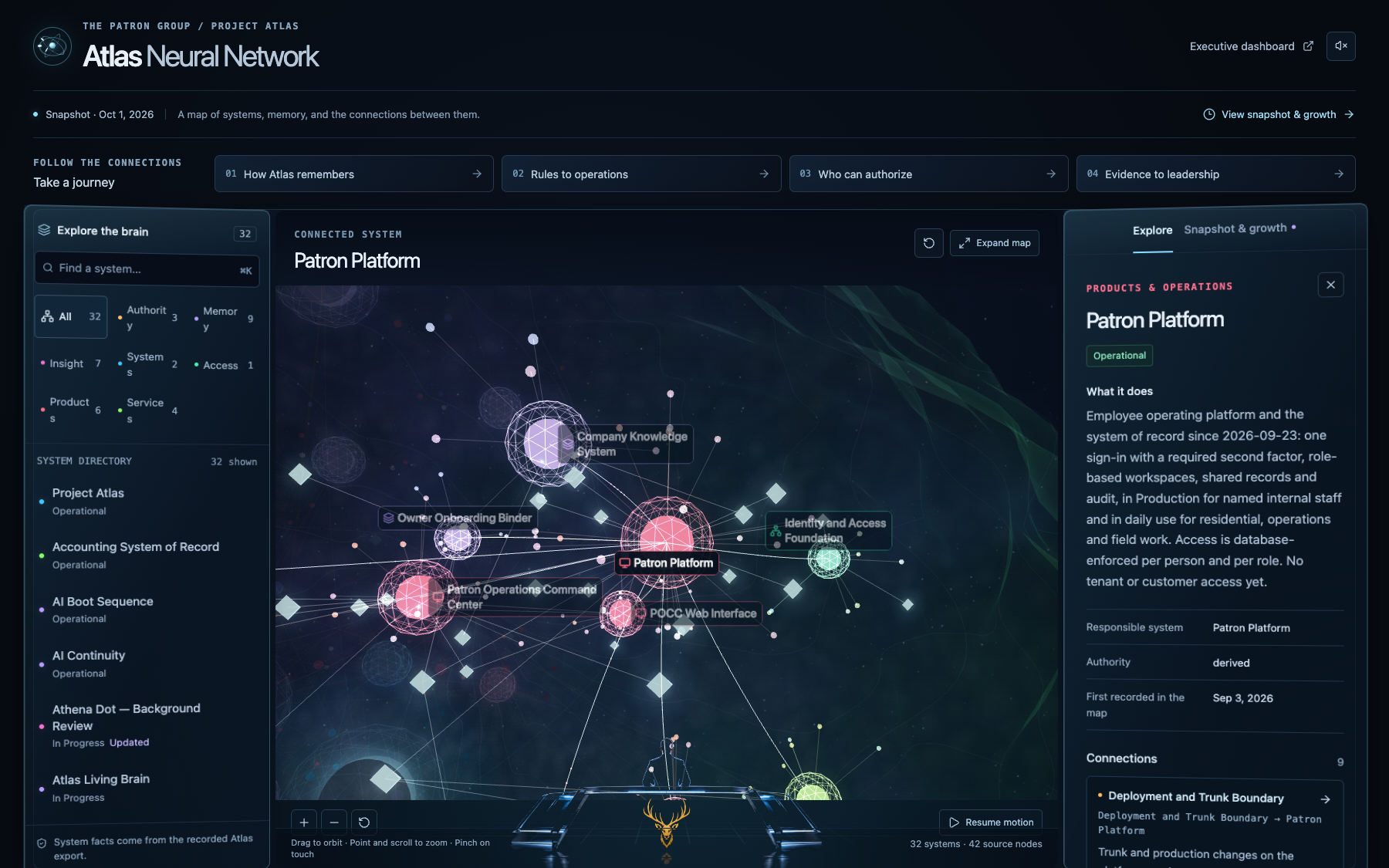
I turn complex business workflows into practical tools people use.

My background spans business ownership, operations management, data quality, and military intelligence. Today, I combine that experience with workflow design and AI-assisted software delivery to build systems for everyday operations, financial visibility, and clearer decisions.

The featured app is a property operations app I lead: it connects work orders, leases and rent, bank transactions and project balances, so each role works from one shared record.

The demo runs the real app and its own database in your browser, with invented records.

▶ Watch the platform story (4:46)

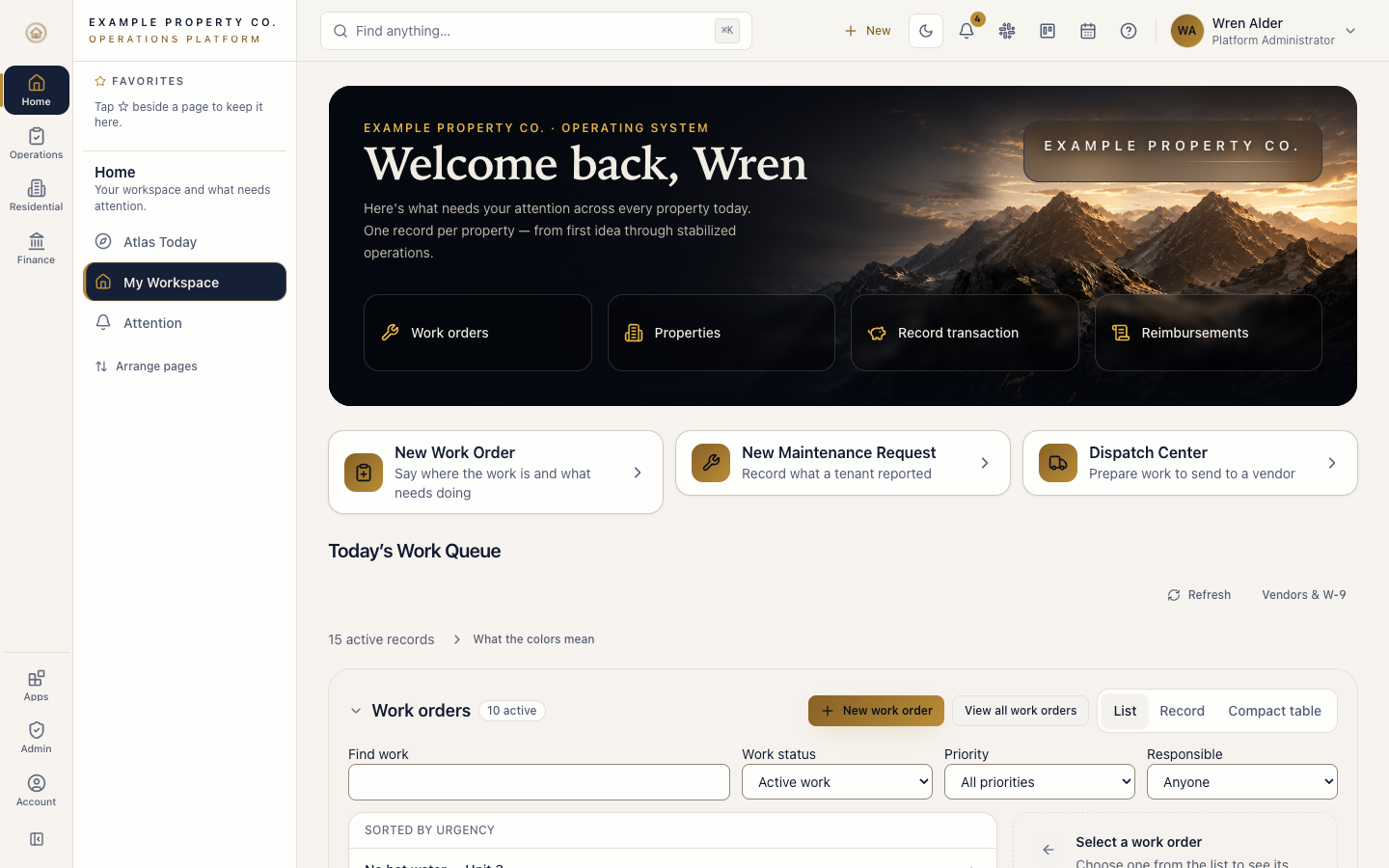
The operations platform's role home: a welcome banner with attention counts, a business snapshot and today's work queue, shown with invented demonstration data.
The internal operations platform I lead — product owner, workflow and screen design, AI-directed build. Fictional demo data, neutral branding.

Watch the platform story · 4:46, narrated

What I built and how it works today, then where it could go next. Until 2:15 it shows working features; after that it covers planned direction, with a short look at today's bill and bank-review screens at 2:31, and from 3:22 a reporting concept that isn't built, labelled on screen.

The screens come from this site's demo, and every record is invented. I designed and built the platform. I wrote and directed the film with AI tools; the narration is an AI-generated voice.
Read the transcript

Thursday morning. The partners meet at nine, and there's one question on the table. Are this year's projects on track against their funding? Simple to ask. But for a long time, answering it meant gathering the pieces by hand: a spreadsheet here, an email thread there, a folder of receipts, and someone's memory.

Today, that work comes together in one operations platform: the app Nick built to connect the company's projects, work orders, financial records, and their history. Let's follow one project: a unit turn at Maple Court. In the unit, the field lead opens the work order on a phone, ticks off the work items, and adds photos. Back in the office, it moves from scheduled, to in progress, to completed, and everyone sees the same status. When the new range is bought, the receipt doesn't go into a drawer. It's attached to the bank transaction, given a category, and tied to the project. And the project's balance reflects it: the funds added, what's been spent, and what's still available.

Then time passes. The work is finished. The project is completed and archived. People move on to other roles. That's usually when knowledge starts to slip away: into old inboxes, spreadsheets nobody opens, and what someone used to know. Here, the record stays... right with the work. Project by project, and year by year, the company builds its own memory. And that memory is meant to be used. Months later, someone asks: why was the Maple Court funding corrected? The answer comes straight back: the original amount, the corrected one, the reason, and who made the change, with the receipts and photos still attached.

Leadership can already draw on that memory. Each project's report totals its spending by category, for any period you choose. And a project running low on funds is flagged. Those views are only as current as the latest recorded information, which is why recording the work, as it happens, matters.

And the platform is still growing. Some of the company's work still runs in separate spreadsheets, and tracking the company's bills used to be one of them. Now that's Post It 5.0: built, in use, and getting its finishing touches. In Post It 5.0, the team can track bills and plan funding in one place. In Bank Transactions, the bank connection shows the current balance and brings posted activity into a review queue each morning. A team member checks each item before posting it. The next step is to learn each remaining workflow with the people who run it, and bring it into the platform where it fits. Piece by piece, those workflows join one shared workspace, with less re-typing and fewer competing versions. The accounting itself stays in QuickBooks. Shared doesn't mean open to everyone. What each person sees depends on their role, the areas they've been granted, and the records in their scope, and the server enforces it, not just the screen. And everything recorded along the way adds to the company's memory: the foundation for what comes next.

Now, imagine what that foundation could support. Connect an AI assistant to that governed record, seeing only what each leader is permitted to see, and a plain request could become a finished report. Ask for a spending overview for the owner and partners: funds added, spending by category, what's left, and the work still open. It gathers the relevant records, builds the charts, and assembles the report, with every figure traced back to its source. Then refine it, the way you'd ask a colleague. Focus on the projects with low balances, and include the supporting detail. Five projects become two, with the transactions, the receipts, and the correction history right beside them. And a person still reviews it, and decides what goes to the partners.

So, back to Thursday morning. Today, the question has an answer: a clear picture from the project balances, and the evidence behind every number. Connected work, today. A lasting company memory. And, over time, insight on demand. It all starts with the work we record today.
Ongoing developmentFrom budget tracking to an internal operations platform, first released in mid-September 2026
By roleOffice, field, finance and leadership staff onboarded one role at a time
Gated releasesTested on throwaway systems, previewed, approved by me, checked live
One system of recordThe earlier operations spreadsheet and tool retired into read-only history

01 One request, end to end

From scattered steps to one shared record

A fictional example: a tenant reports a leaking kitchen faucet. The same five moments happen either way — what changes is whether they live in five places or one.

  1. MemoryReport

    A call reaches whichever manager the tenant knows.

    Only one person knows it exists
  2. Task listAssign

    It lands on someone's personal list — or nobody's.

    No clear owner
  3. EmailDispatch

    Details are retyped for the vendor.

    Copied, and copies drift
  4. PaperMoney

    The receipt is recorded later, if at all.

    Balances lag the work
  5. WhiteboardDecide

    "Where are we on that faucet?"

    Status lives on a board and in memory
  1. IntakeReport

    Logged once, tied to the property, unit and tenant.

    One record from the start
  2. AssignOwner

    A responsible person is chosen at creation and notified.

    It's in their queue
  3. DispatchVendor

    The vendor's packet is built from the same record.

    Nothing retyped
  4. MoneyCost

    The bank transaction is classified to the project.

    The balance updates with it
  5. DecideStatus

    Each role's home page shows what needs attention.

    Status without asking
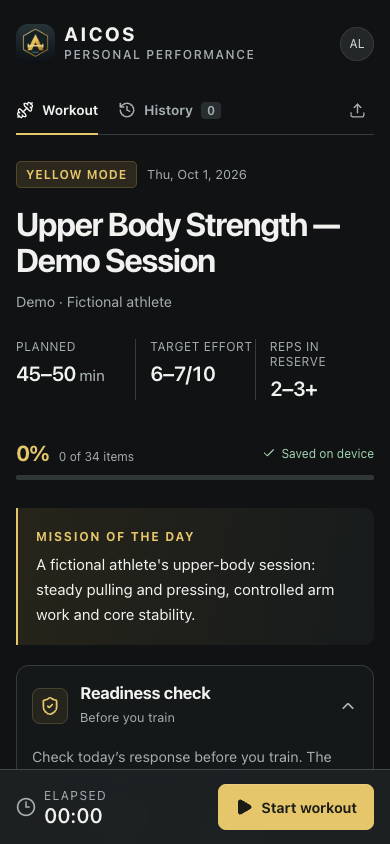
My part. Mapping how work actually moved, then designing the workflow, data and screens; setting priorities; directing the AI-built implementation; testing and approving each release; onboarding colleagues by role. AI wrote most of the code — the judgment about what to build and when it was right was mine.
See it in the operations app Read the case study

Fictional example and invented records. "Before" reflects the starting conditions described in the case study; "After" is how the released system works.

02 Selected work

Evidence you can open, not just read

These are working demonstrations of systems I built — they run in your browser with fictional data, nothing to install.

Flagship · Operations platform

Hired to track budgets. Expanded into building the systems behind the work.

Work orders, leases and rent, bank transactions, project balances, bills, monthly budget requests and reports in one platform — each role lands on its own workspace.

Personal game

Idle Hands

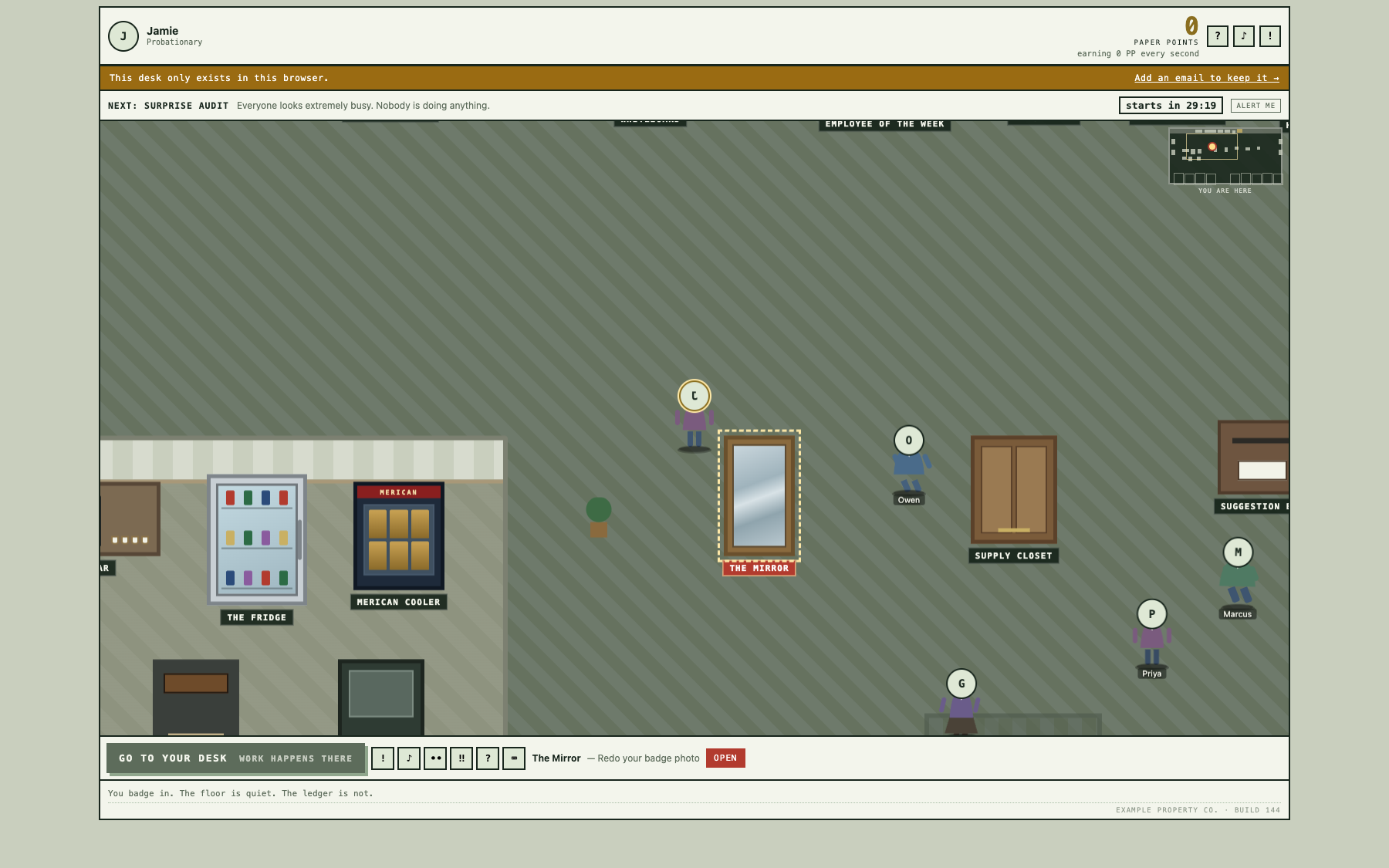
A multiplayer office idle game — the original, in your browser with simulated multiplayer: office props with something to say, Sound & feel, pins you can wear, office awards and owned furniture you can recolor. Skip intake to play as a guest.

More work

  • Monthly budget requests — a funding request built from live balances that refuses to print incomplete, now carried through to a recorded approval. Demo
  • Websites — Davira’s Discoveries, an animated product-review site I designed in 2025; a company website; and an unreleased redesign concept. Screens and motion
  • Atlas Today — my personal dashboard for the day's AI-assisted work: progress, next steps and a decision inbox, every item traced to its source. Demo
  • Daily Executive Brief — a scheduled morning briefing: AI sorts two inboxes' email into actions, waiting items, updates and FYI; ordinary code validates and delivers it. Case study
  • AI-assisted delivery — the operating model behind the platform: memory, gates and owner approval.

03 Approach

How I work

I own the outcome from problem to adoption: what the business needs, how the work should flow, what gets built and in what order, and whether it's right before anyone depends on it. AI assistants write most of the code under my direction.

  1. Learn the work

    Sit with the people doing it. Find where information lives, where it gets lost, and what decisions it should support.

  2. Define it together

    Turn problems into plain requirements with leadership and staff. Decide what "done" and "correct" mean before building.

  3. Design and direct

    Design the workflow and screens, then direct AI implementation in small, reviewable changes with written decisions.

  4. Verify and support

    Test on real devices, gate every release, onboard people by role, and fix what they report.

04 Background

Operations first, technology second

Business ownership

Owned and ran an appliance business for eight years and later a liquidation resale operation — budgeting, vendors, scheduling, inventory and invoicing.

Operations management

Operations manager for a roustabout company supporting geothermal drilling: invoicing, vendor tax forms, email and business administration.

Data quality

Seven years as a remote data analyst evaluating search and map results for accuracy, with reporting and documentation.

Military intelligence

U.S. Army veteran and former intelligence analyst — synthesizing information into reports and briefings for leadership.

Full background and education →

05 Contact

Questions about the work?

I'm happy to talk through how any of this was built, the decisions behind it, or the demos. Email is the best way to reach me.